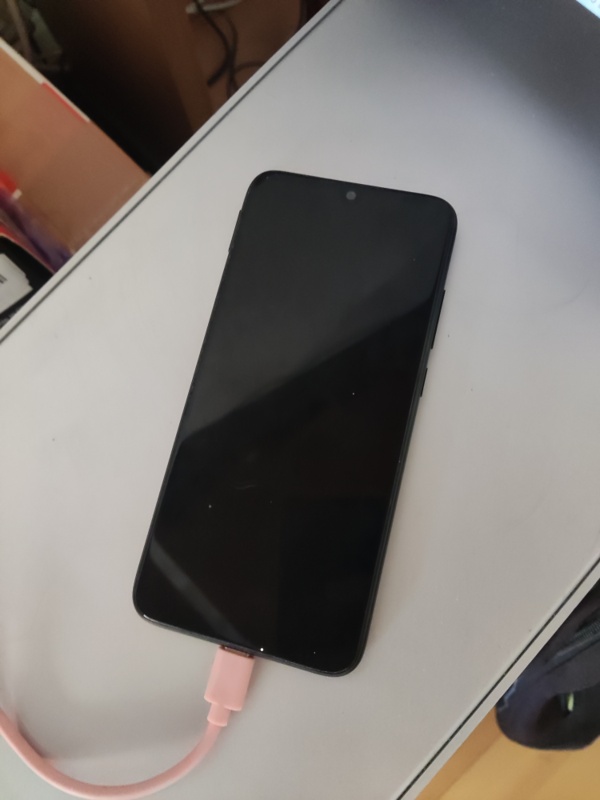
This page is currently served from a redmi note 7. Who needs a raspberry pi??
You can reach it directly at http://phone.cosarara.me. On ipv6 you reach it directly, on ipv4 it's actually reverse-proxied through another server which is nowhere as cool.
Pros:
Cons:
~ $ screenfetch
       ╲ ▁▂▂▂▁ ╱
       ▄███████▄
      ▄██ ███ ██▄
     ▄███████████▄       OS: Android 11
  ▄█ ▄▄▄▄▄▄▄▄▄▄▄▄▄ █▄    Device: Redmi Note 7 (lavender)
  ██ █████████████ ██    ROM: RQ3A.211001.001
  ██ █████████████ ██    Baseband: msm
  ██ █████████████ ██    Kernel: aarch64 Linux 4.4.273-Predator-Stormbreaker-X4.6-g8acd78957590
  ██ █████████████ ██    Uptime: up 1 hour, 54 minutes
     █████████████       CPU: Qualcomm Technologies, Inc SDM660
      ███████████        GPU: Qualcomm Technologies, Inc SDM660
       ██     ██         RAM: 1708MiB / 3740MiB
       ██     ██
This could all have been much simpler, but I wanted to have real chroot available if I wanted to, as opposed to just Proot which adds a significant overhead. And to get chroot you need root, and to get root you need an unlocked bootloader.
So first of all I had to download xiaomi's bootloader unlocker tool, and it only runs on windows, so I booted windows and I spent a couple hours trying to understand why windows could not connect to my 5GHz AP (turns out it's because the windows drivers don't support WPA3, and the only thing you can do about it is buy a new wifi chip). Then the tool did not work, but it prompted for an update, but the page it opened gave me an error, but then I modified the URL I used for the old version to point to the new version and I was able to download it, I made a miui account, put a SIM on the phone, and ta-da I got the unlocker running.
Then came the story of flashing TWRP from fastboot, doing a million wipes, figuring out what custom ROM to install (no point on staying on an ancient OEM MIUI ROM full of crap), which turned out to be CarbonROM, seeing that it worked, then installing the Magisk app, being told by the app that I needed a boot image, getting back into TWRP, finding out that it can't decrypt CarbonROM's filesystem encryption, wiping the partition, backing up the boot image, copying it to my laptop through MTP, booting CarbonROM again, setting it up again after the factory reset, installing Magisk again, copying the image file to the phone, patching it with Magisk, then after a couple reboots and a musical timeskip, I had root on the phone.
The next thing I did was I installed Termux and Termux:Boot by downloading the APKs straight from the f-droid website, disabled battery optimization for both, installed openssh, neovim, nginx, termux-services, and made it run sshd and nginx at boot.
I also added Wireguard because that's how I connect all my devices across time and cyberspace.
And well then there is the question of, what did you need chroot for? And the answer is: for nothing, so far. I did install an alpine linux chroot from a docker image tree with the help of chroot-distro, but to be honest I haven't used it for anything at all. I did figure out that any unprivileged user you create in there needs to be in a few special groups to be able to, for instance, use the network. The groups root is part of give a good idea of it:
localhost:~# id
uid=0(root) gid=0(root) groups=0(root),1(bin),2(daemon),3(sys),4(adm),6(disk),10(wheel),11(floppy),
20(dialout),26(tape),27(video),1002(aid_bluetooth),1003(aid_graphics),1004(aid_input),1005(aid_audio),
1006(aid_video),1007(aid_drm), 1010(aid_wifi),1018(aid_usb),3001(aid_bt_admin),3002(aid_bt_net),
3003(aid_inet),3004(aid_net_raw),3005(aid_admin)
Oh and this is handwritten HTML, no static site gen or anything involved.
Not being able to listen on port 80 (bcs permissions) is very lame. What should we do?
We could run nginx as root, but that feels dirty. There is this program called
authbind. We can install it with pkg install root-repo && pkg install authbind,
then touch $PREFIX/etc/authbind/byport/80,
chmod 500 $PREFIX/etc/authbind/byport/80,
and replace nginx by authbind nginx
in $PREFIX/var/service/nginx/run,
but that's not enough, because the authbind helper binary expects to be setuid,
and android fights setuid with all its might (nosuid and SELinux).
But! We can move $PREFIX/libexec/authbind/helper to $PREFIX/libexec/authbind/helper.real,
then create $PREFIX/libexec/authbind/helper as a script:
#!/data/data/com.termux/files/usr/bin/sh
exec su -c "$PREFIX/libexec/authbind/helper.real $@"
And then after changing the nginx config file to listen on port 80, everything works.